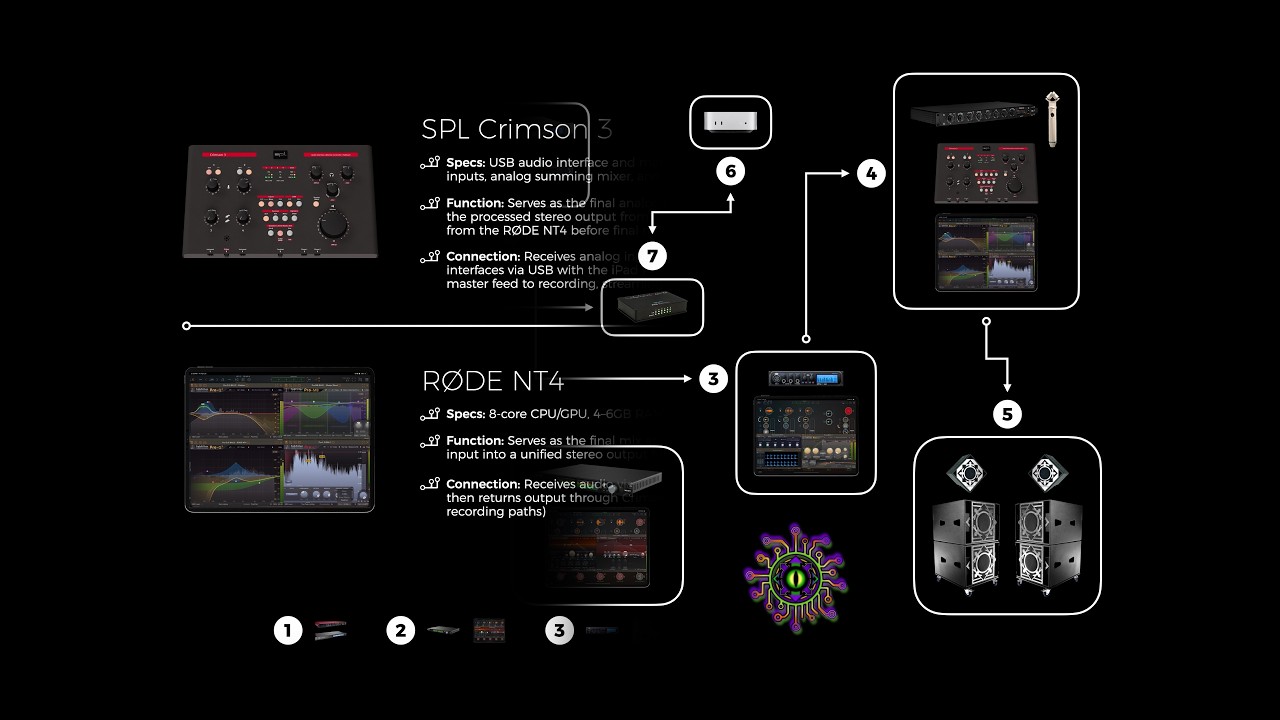
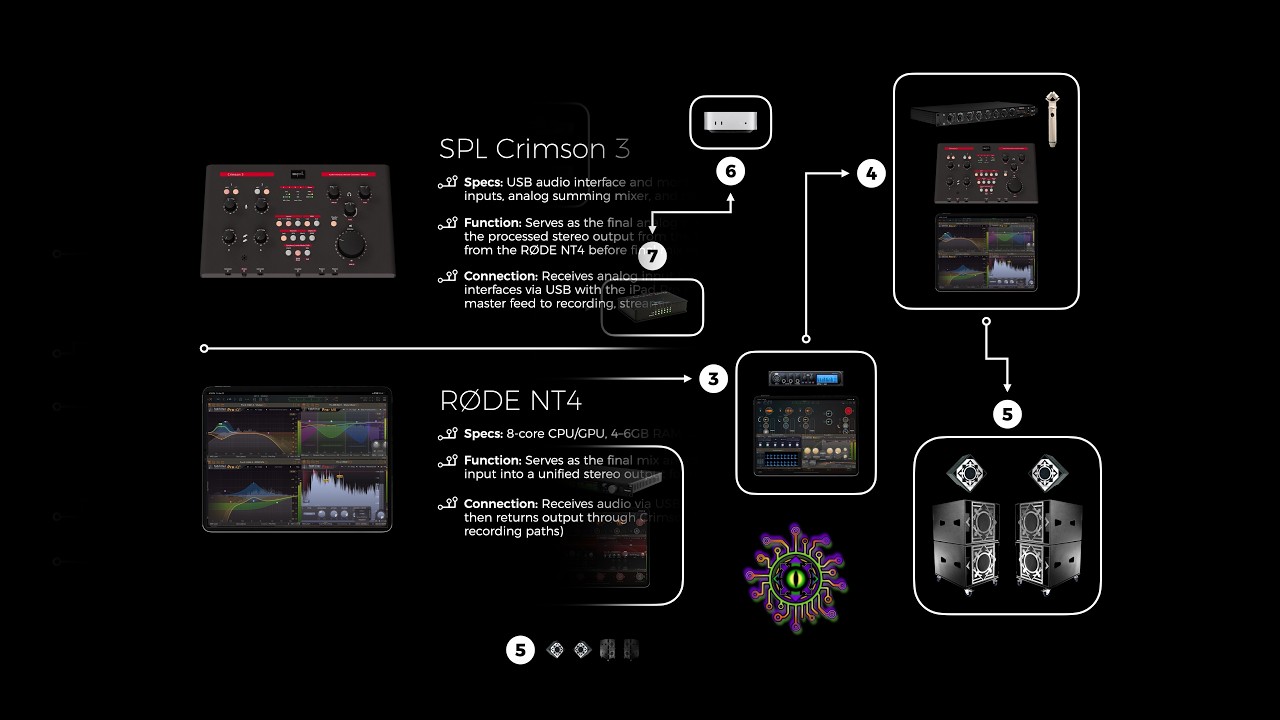
Operation Noise Toaster was a monthly noise-based / experimental sound event put on by me and a few others running the audio system called "The Chaos System", a system which I had acquired before I worked at BASSBOSS, from them (it likely helped lead to me working for them later). This is the first construction and usage of those three words in that particular order as an ongoing theme for me and what I've created going forward from this point, i.e. The Chaos System, and every incarnation that has ended up becoming a part of, which you will be introduced to in a number of forms throughout this website.
[To be clear, and as you will also find out, the idea of 'chaos' and 'chaos theory' and other concepts related to these ideas has been with me for a very long time and for many reasons. Those things will also be covered in different areas of the website]
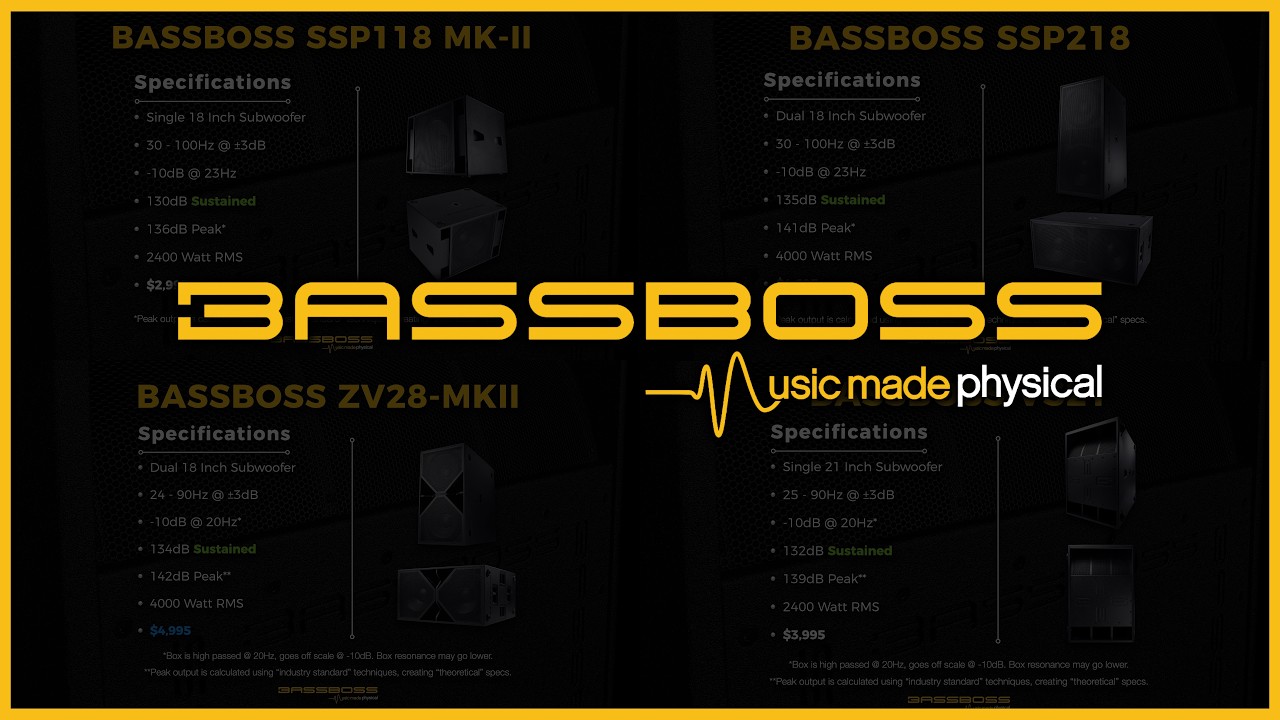
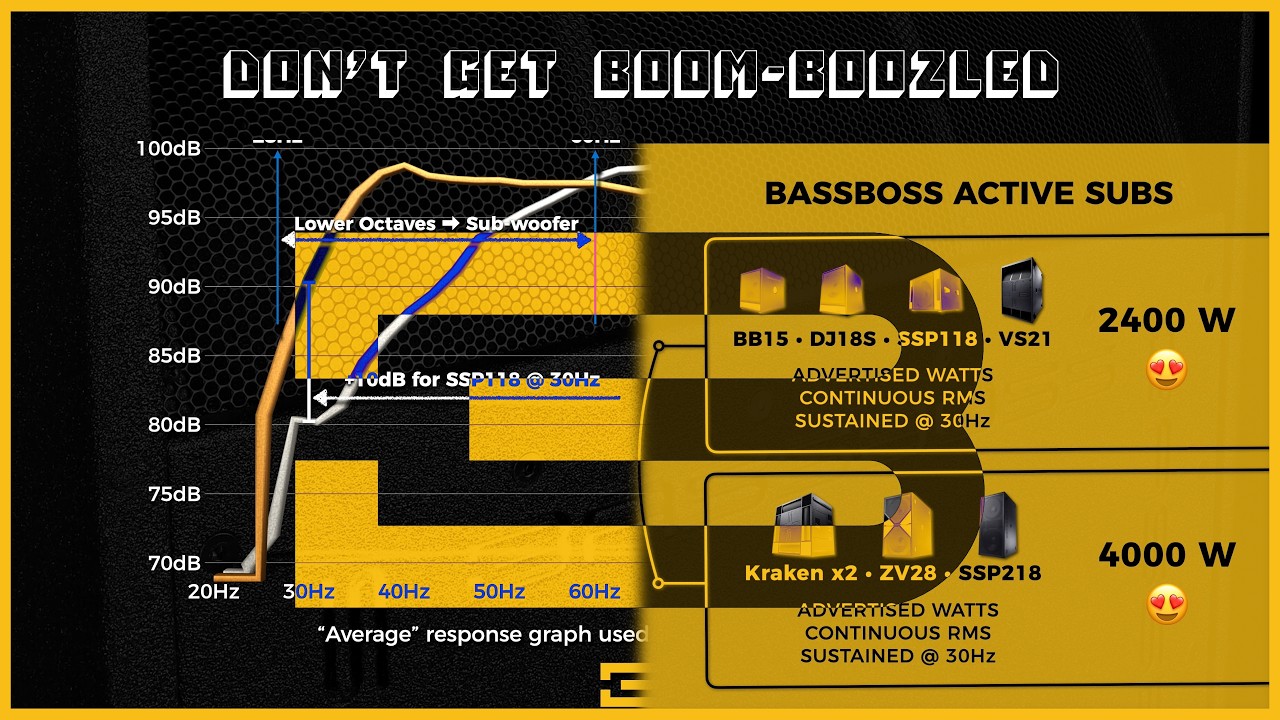
The sound system consists of four BASSBOSS ZV18 subwoofers that are capable of going down to 23 hertz, 21 hertz in pairs. At one show, we even recorded levels of 150dB at what I understand were very low frequencies and in a space where there were concrete walls on all sides, creating places where standing waves were summing together to add up to that level. Either way, it was measured and it was real, and this sound system was responsible for it. The system and its full history is gone over in great detail on the music page when you get to it. No need to rush.
Since this show was about experimentation by definition, I decided to develop an entire system and technique for editing the shows and the performances, in effect becoming a part of the post-production in more than just simply the live production and engineering way experienced at the live version of the show. Everything was done on an iPad using LumaFusion and Affinity Designer. I only had one camera, which was my iPhone 4, recording at something around 1080p to 2K. And for most of the shows, it was static (not moving). At some point, in order to bring movement into the videos, I learned and progressed in my knowledge of how to use chroma keying in LumaFusion (to target various different colors lighting at the show was generating, which I used to generate entirely different video layers from) plus keyframes and replication of the video track, along with blending effects to create highly dynamic and layered, very effective videos that, at least in my opinion, I think lent themselves very well to the genre and what we were trying to produce.
The event was very community-driven and focused (purposefully). Everything was based on donations and volunteerism. I never had an interest in profit as a primary motivator. I wanted to be able to bring to the local community a sound system that you generally never have access to unless you're a well known band playing in a stadium or a very expensive club, so they could hear themselves at the highest quality levels possible with the lowest frequencies and highest fidelity. This is a result of that experiment. This also is something that I dive pretty deeply into as well on the audio page, when you get to it.
You'll see as you move through the videos and through the shows in time (they are in chronological order, although separately) how the editing gets progressively more interesting and technically proficient and creative. At some point I decided to buy a camera head for a tripod and mount it to the audio rig where I was recording all of the sound. I would then follow artists with this new fluid head my iPhone was now attached to, if they were moving, to bring more dynamism to the videos. You’ll also see how I discovered how much moving lights added a lot to where you could chroma key things to separate out different affected layers to create outcomes I found to be quite creatively interesting looking. It's a pretty interesting process and a pretty interesting result, and the entire process continued to evolve and gain in production quality as I developed my techniques and understandings of what it was that I was doing with all of the limited ways that I had to work with what was in effect a single video file at the end of each show that then turned into the videos you're about to look at in this gallery.
Something else to point out as well, the audio in these videos is not simply line-level outs coming from the different instruments that the artists were playing. A part of the philosophy that I built in designing the function of The Chaos System was to grab a high quality stereo mic (from Røde, the NT4), which was capable of withstanding 140dB of sound pressure, and blending in the live sound captured from those speakers into the audio that was then put into these videos. I think it brings a very different feel and some sense of what it was like to actually be at these shows—obviously and especially if you also happen to have a very capable sound system in your home, which can reproduce similar frequencies to what The Chaos System was putting out live at these shows (Well, maybe not at the same intensity or fidelity. That would be understandable.).
The experience is intense. Your eyeballs vibrate. Your voice modulates. The air feels like it's physical, like a liquid you're swimming in. LITERALLY! The bass knocks out ceiling tiles. At many venues, you will inevitably have the cops called while car alarms a block away are going off. It was a bit difficult to find venues where the system could really be put to its full potential. There's just something unbelievably special about how BASSBOSS builds subs. That's not to say the high end from their systems is not also up to the same standards. No, it's also incredibly amazing. It's just that, doing that with higher frequencies is quite literally far less difficult. Doing it to this performance level consistently all night, without any signs of weakness, with brutal authority, in a way so clean that makes you want to cry, no matter what you throw at it. Yeah. Now that, that's an amazing accomplishment.
So take a watch and take a listen. Headphones are best unless you happen to have a very nice sound system with a big subwoofer(s). I hope I did a good job of representing what these artists and performers were trying to convey using an unbelievably good system and some outside-of-the-box editing paradigms. To then not only have been the live sound engineer and general sound guru, but also, in effect, in perpetuity, to have figured out a way to add my artistic interpretation to what this show could mean, by transforming it visually into its own artistic expression, while attempting to maintain as much original sound fidelity from the live experience as is possible.
~
As an important thing to note... my experiences developing this technique for post-production editing of the single video feed while Operation Noise Toaster was a thing, put into my head a lot of interesting ideas that once you get to the audio page, you will find in the PDF at the bottom of that page, the description of an App that in effect aims to take what you've seen after you've made your way through this specific playlist, and if given the right funding and the right developers, I think an entirely possible reality that I could develop the necessary technology to make the same thing I developed in post-production be something that could happen in live production, and then projected onto video screens and perhaps also projection mapped. This idea in and of itself could, just like the audio paradigm that will be described in the same PDF, likely revolutionize live sound, would revolutionize live video. The second one (the App), though more than the first I think, would be far more lucrative, creating an ecosystem that with or without the audio paradigm, could be worth hundreds of millions of dollars (assuming everything is actually accomplished that is being talked about, and the idea being presented, plus as much and as far as it can continue to be developed). In no way am I even remotely or slightly joking about what it is that I'm saying. Just watch the videos (don’t leave out the later ones if you are going to skip any) take the idea into your head, file it away, continue through the rest of the page, get through the design page, and when you've made it down to that PDF, and you end up on the section talking about this app, if you've got the right brain to see it, I think you'll agree that what I'm talking about is viable and not even close to a joke. It’s a total goldmine.
Of course, now the idea will probably just get stolen from me. But hey. You gotta take risks, I guess. And I've been coming up with ideas like this my entire life, so. Please, partner with me instead of stealing it. It'll be a much better project if you do.
~
Unlike the other playlists, I'm not going to list the video names and give individual descriptions for these. There are far too many of them for that, and they're not exactly easy to describe in that way. It makes much more sense to go through the experience of watching them to understand what this kind of show is actually about.
While I may end up taking the time to build out as explicitly individual descriptions of each video as I can remember, both regarding the bands that were involved and all of the techniques I used for creating the videos themselves, like anything that I create, I don't go out of my way to remember the processes that I develop.
As you'll learn more and more through the site, that is not illustrative of how I actually operate as a creative. Instead, I develop an overarching understanding of what everything within the system does and how to work with any given tool within it. And then I find whatever process I need to for whatever thing I'm working on at the time that I'm creating to come up with what I come up with for that specific project. For some types of artwork and this kind of video, replicating any video in any kind of an exact way would be quite literally impossible to do. I could attempt to replicate certain attributes of it, but it just doesn't really work like that creatively. This is all done intuitively over time through keyframes, through all kinds of different techniques and blending effects, through chroma targeting, lights changing the colors of things, through replication and creation of layers achieved by those things and by simply duplicating them and, you know, removing boundaries between different layers through targeting different colors and the in-between layers, etc., etc., etc. And what you see in all of its different variations are all incarnations of what it is that looks like.
This collection is what I would consider the best of the best of what I did with that show and the post-production effects I added to become a part of what it would be in perpetuity. I took the time with all of these to use these techniques to reinterpret all of this. The individual artists that I have separated out that are on display here are the ones that I think should have the most highlight given to them. To some degree in chronological order, but not entirely, as what changed my ability to make one look better than another really depended on what happened in the show. As you'll find out, the more expressive an artist is, the more they move, if the lighting moves instead of just staying still, then the more I can do with what they're putting up on offer. The less they move, the more I have to move the video and get differently creative, which works to varying degrees better and worse.
Of course, if given a chance to create a new show with more cameras, more resources, motorized lights that were mine, and what would end up being multiple tracks of video of different types at the end of the show... the entire process would probably express very differently, and likely even more interestingly and better in many ways. But take a look and see what you think. And check out the show photos that are up next after the videos to see what it was like being at one of these shows.
If you're really curious, this and also any other shows that were recorded in the same way, or that I put up on YouTube, were originally put up on a channel dedicated to the sound system, which goes by the same name, which can be found here. But maybe check that out at a later time if you're really interested in the history of how that all grew and published, with all its warts and growing pains. For now, keep moving your way down, and check out what I've got for you right here.
Operation Noise Toaster and the use of The Chaos System was a local cultural phenomena (quite literally not hyperbole). These shows were incredible, extreme, and had unbelievably good sound. The quality of the sound system is effectively about as good as you can possibly get for a portable sound system. The amount of output, the amount of clarity, the amount of deep bass is pretty much quite literally unmatched in any other sound system made in the pro audio industry by any reasonable comparative measure.
To match what this system can do, you would have to, probably, in an attempt to even do so, end up with at least four times as many speakers in order to match the kind of bass output this thing has. And you would still be lacking in the frequencies that matter. And the more you added to your system, the more clear it would be how much better this one actually sounds when it comes to balance, presence, stability, power, tone, authority, and all other ways of using metaphors to describe what this kind of experience is like. The only way I think that you could find a better system today is if you got something newer from BASSBOSS. Perhaps a single Makara and a couple of DV12s (both of which I want more than that amount of to add to this system ultimately, or at least another system in a larger venue with multiple rooms), which probably cost less now than what this cost then (after inflation). And you'd be pretty close to the same thing, possibly hitting a little bit harder. But I'm not sure the sound quality would actually be that much better necessarily, except for maybe a little bit higher resolution on the high end. This stuff is just literally that impressive. And it only sounds as though it requires all of these descriptors in order to overemphasize something that is experientially just exactly what is quite literally and simply the case.
The shows themselves, not only was it difficult to find spaces that we could call home for more than a minute, but when we did, in some places we were knocking out ceiling tiles or worrying that the glass in the windows would shatter. It sounds like a bad thing, but it really isn't. These are amazing speakers, and the fact that I was able to acquire these and offer all the different Phoenix experimental and noise artists the opportunity to play through this system every month was a very big deal to me. It really gave people an opportunity to hear themselves at the best that they were ever going to hear themselves live (or possibly period), and along with all of the recording and editing and video editing that I did in the previous gallery you just went through, It led to just some amazing shows and attracted a lot of people interested in being a part of what it meant to participate in this kind of a live experience.
Below is a photo gallery of 200 photos, and I really had to trim this down. The are showing a whole bunch of different artists at at least three or four different venues that we called home or visited. Everyone was a volunteer. Everyone participated. Everyone helped put the show together and make it happen. This was a great show. Please drop the accordion down and take a look.